Follow your idea
Sent your idea? It doesn't disappear. My ideas has every idea you submitted and every one you support, each with its status. Click one to see the details.
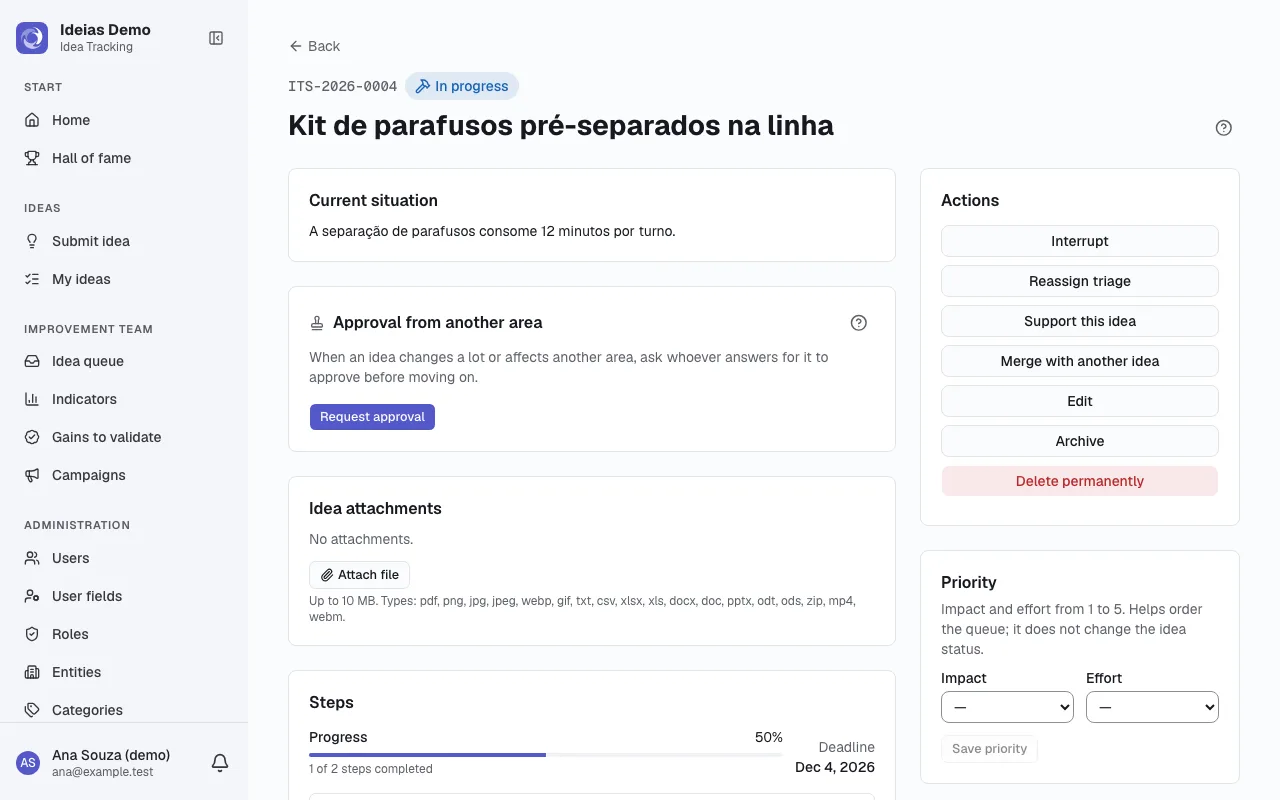
How is my idea doing?
In the details you'll find:
- Status: where the idea stands. What each status means is in Idea statuses.
- Expected reply: the date by which the team should answer for the first time.
- Steps: after approval, what will be done, by whom and by when.
- Timeline: every change, who made it and when. If the idea wasn't approved, the justification is there.
Attached photos and videos open right on the page.
When am I notified?
At every step of the idea: when it arrives, when someone takes on the review, when it's approved or not approved (always with the justification), on each completed step, when it's finished and if it's reopened.
Notifications show up in the bell, next to your name in the menu (on a phone, at the top of the screen). If your organization turned on email, you also get a daily summary. In My account > Notifications you choose what you want to receive; decisions about your idea always arrive.
How do I talk to the team?
Through the idea's comments. You and the team both see public comments: use them to ask a question or add a detail. The team also has internal comments that only the team sees.
How do I add a photo?
Without a photo, you show up with your initials. To add one, go to My account > Profile photo, click Choose photo and adjust the framing before sending it.